College life is not only about attending lectures, completing assignments, and preparing for examinations. Students also need to develop practical skills, explore new subjects, find reliable study materials, and prepare for future careers. Fortunately, many websites provide useful educational resources that students can access online without paying for every lesson or tool.
Whether you are pursuing B.Tech, BCA, MCA, BBA, B.Com, or another degree, the right websites can make learning easier and more productive. In this article, we explore ten useful websites that college students should know in 2027.
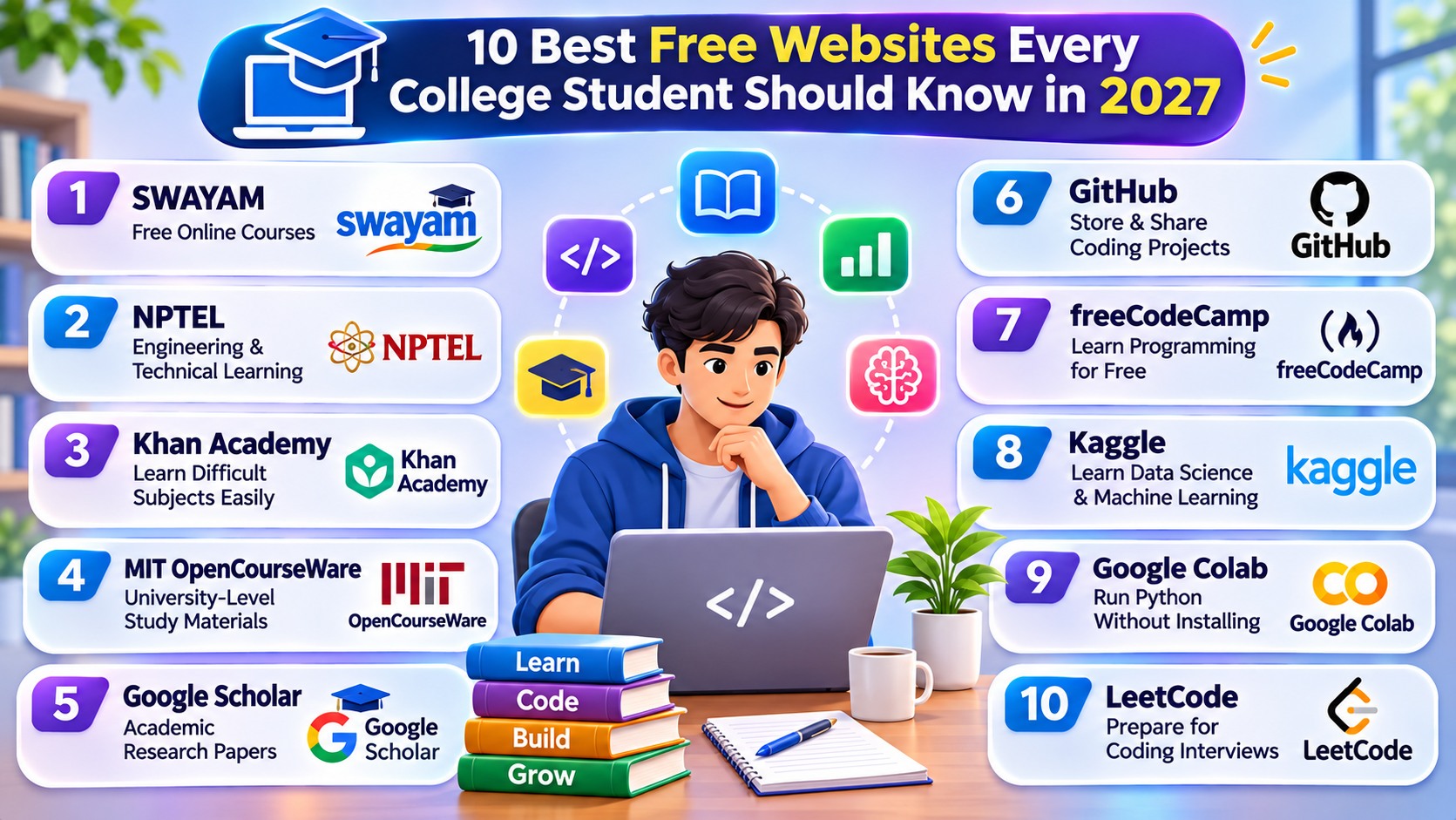
1. SWAYAM – Free Online Courses
SWAYAM is an Indian Government initiative that provides online courses across different academic subjects. Students can explore courses offered by experienced educators and institutions.
What students can use it for:- Learning engineering and computer science subjects.
- Exploring management, commerce, and humanities courses.
- Accessing online lectures and learning materials.
- Preparing for additional academic learning.
Best for: Indian college students looking for structured online courses.
2. NPTEL – Engineering and Technical Learning
NPTEL provides online courses in engineering, science, technology, and other subjects. It is particularly useful for students who want to strengthen their technical knowledge through courses developed by Indian academic institutions.
What students can use it for:- Learning programming and computer science concepts.
- Studying data structures and algorithms.
- Understanding electronics and engineering topics.
- Exploring advanced technical subjects.
Best for: B.Tech, BE, Diploma, and other technical students.
3. Khan Academy – Learn Difficult Subjects Easily
Khan Academy offers free educational lessons and practice exercises across mathematics, science, computing, and other subjects. Its structured learning approach can help students strengthen their fundamentals.
What students can use it for:- Improving mathematics skills.
- Understanding science concepts.
- Practising exercises and quizzes.
- Revising important academic topics.
Best for: Students who want to improve their basic concepts.
4. MIT OpenCourseWare – University-Level Study Materials
MIT OpenCourseWare provides free access to course materials from the Massachusetts Institute of Technology. Students can explore lecture notes, assignments, and other resources from different academic disciplines.
What students can use it for:- Studying computer science and engineering.
- Exploring mathematics and physics.
- Reading university-level lecture materials.
- Learning beyond their regular syllabus.
Best for: Students interested in deeper academic learning.
5. Google Scholar – Academic Research Papers
Google Scholar is a search platform for scholarly literature, including research papers, theses, books, and academic publications. It is particularly useful when preparing assignments, seminars, and final-year projects.
What students can use it for:- Finding research papers on specific topics.
- Discovering academic authors and publications.
- Exploring related research work.
- Finding citation information for academic writing.
Best for: Students working on research, assignments, and academic projects.
6. GitHub – Store and Share Coding Projects
GitHub is a platform where developers can store code, manage programming projects, and collaborate with other developers. It is especially valuable for computer science and IT students who want to build a project portfolio.
What students can use it for:- Uploading Python, Java, and web development projects.
- Learning Git and version control.
- Exploring open-source software.
- Collaborating with other developers.
Best for: Programming students and aspiring software developers.
7. freeCodeCamp – Learn Programming for Free
freeCodeCamp provides interactive programming lessons and practical exercises. Students can learn web development, JavaScript, Python, databases, and other technical skills through structured learning paths.
What students can use it for:- Learning HTML, CSS, and JavaScript.
- Practising Python programming.
- Building practical coding projects.
- Working towards available free certifications.
Best for: Beginners who want to learn programming through practice.
8. Kaggle – Learn Data Science and Machine Learning
Kaggle is a platform for data science and Machine Learning. It provides datasets, coding notebooks, learning exercises, and competitions that help students gain practical experience with data.
What students can use it for:- Practising Python and data analysis.
- Finding datasets for academic projects.
- Learning Machine Learning fundamentals.
- Participating in data science competitions.
Best for: Students interested in AI, data science, and analytics.
9. Google Colab – Run Python Without Installing Software
Google Colab is a browser-based environment for writing and executing Python code in notebooks. It is useful for students who want to practise programming or experiment with data science without setting up a local development environment.
What students can use it for:- Writing and running Python programs.
- Working with datasets and visualizations.
- Experimenting with Machine Learning libraries.
- Sharing notebooks with classmates.
Best for: Python, AI, and Machine Learning learners.
10. LeetCode – Prepare for Coding Interviews
LeetCode provides programming challenges that help students improve problem-solving and algorithmic thinking. It is useful for students preparing for software developer interviews and technical assessments.
What students can use it for:- Practising data structures and algorithms.
- Solving coding problems using different languages.
- Preparing for technical interviews.
- Improving logical thinking and programming skills.
Best for: Students preparing for software engineering placements.
How to Use These Websites Effectively
Having access to many educational websites does not automatically improve your skills. The important thing is to choose resources according to your academic goals and use them consistently.
- Identify your goal: Decide whether you want to improve academic knowledge, programming, research, or placement skills.
- Choose suitable websites: Start with two or three platforms that match your requirements.
- Follow a learning schedule: Spend a fixed amount of time learning and practising every week.
- Apply what you learn: Complete exercises, assignments, coding challenges, or small projects.
- Track your progress: Maintain notes and record the skills you develop.
Important: Not every feature on these platforms is necessarily free. Some courses may charge for certificates, graded assessments, or additional services. Check the access conditions before enrolling.
Conclusion
The internet provides many valuable learning opportunities for college students. Websites such as SWAYAM, NPTEL, Khan Academy, and MIT OpenCourseWare can support academic learning, while GitHub, freeCodeCamp, Kaggle, Google Colab, and LeetCode help students develop practical technical skills.
You do not need to use every website at once. Select the platforms that match your interests, practise regularly, and use your learning to complete meaningful assignments and projects. Developing these habits during college can help you prepare for higher studies, internships, and future career opportunities.
For more student resources, programming tutorials, project ideas, and career guidance, visit ProjectDuniya.