
Introduction
Traditional examinations often involve printed question papers, manual answer-sheet evaluation, physical record keeping, and time-consuming result preparation. These processes can become difficult to manage when an educational institution conducts examinations for a large number of students.
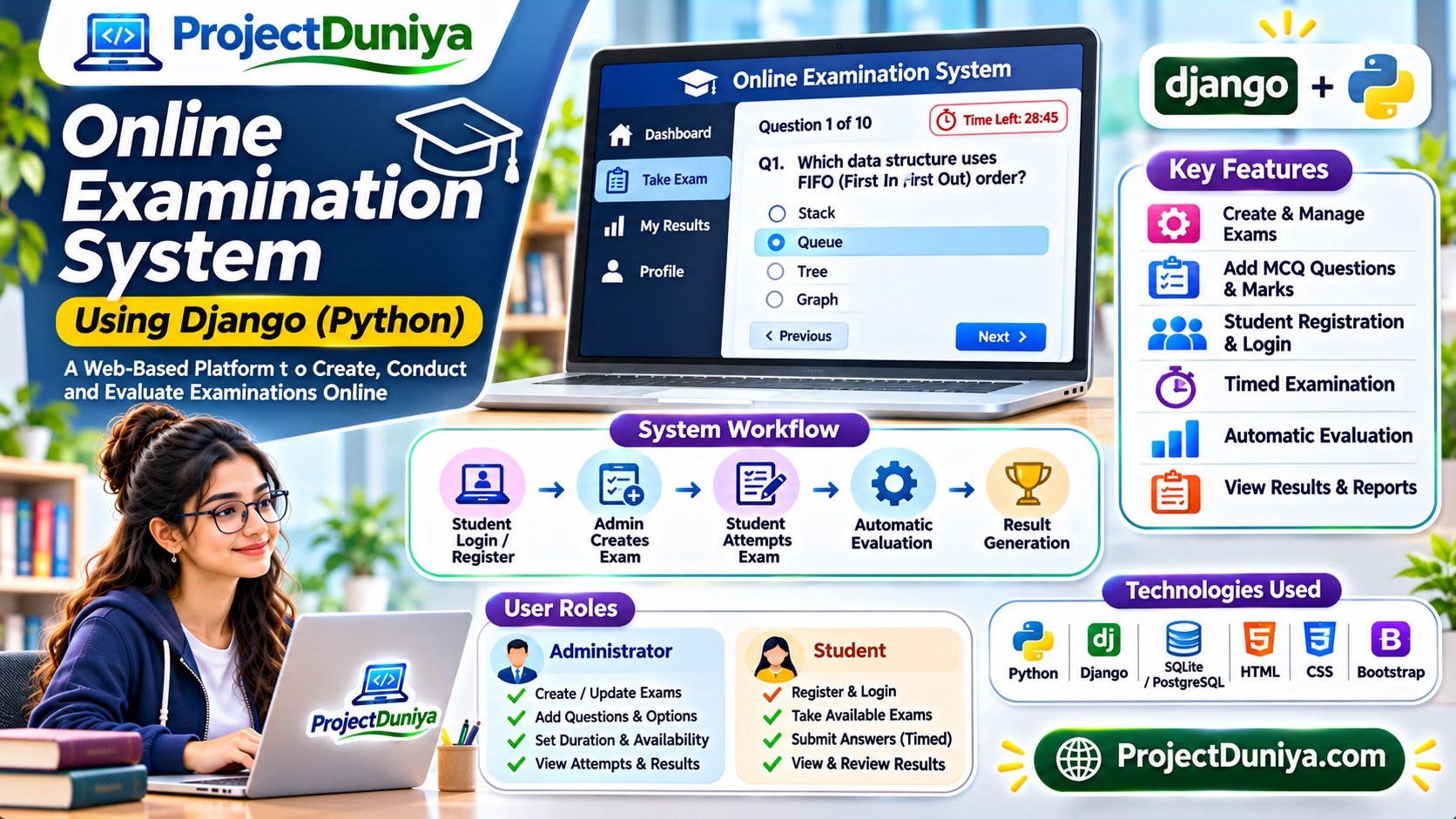
An Online Examination System is a web-based application that allows administrators or teachers to create examinations and students to take them through a browser. The system can manage questions, examination schedules, time limits, answer submissions, automatic evaluation, and result reports.
In this project, you will develop an Online Examination System using Python and Django. The application will have separate administrator and student functionality. Administrators can create exams and questions, while students can log in, attempt available examinations, submit answers, and view their results.
1. Project Overview
| Component | Description |
|---|---|
| Project title | Online Examination System Using Django |
| Programming language | Python |
| Backend framework | Django |
| Frontend | HTML, CSS, Bootstrap, JavaScript |
| Database | SQLite for development; PostgreSQL for larger deployments |
| User roles | Administrator and Student |
| Core functionality | Exam creation, question management, timed attempts, submission, and results |
2. Main Features of the System
Administrator features
- Secure administrator login.
- Create, update, and delete examinations.
- Set examination duration and availability.
- Add multiple-choice questions and answer options.
- Assign marks to questions.
- View student examination attempts.
- Check results and basic performance reports.
Student features
- Register and log in to the platform.
- View available examinations.
- Read exam instructions before starting.
- Attempt multiple-choice questions.
- Submit answers before the time expires.
- View results after submission.
- Review previous examination attempts.
3. How the Online Examination System Works
- Student registration: A student creates an account and logs in.
- Exam creation: An administrator creates an exam and defines its duration and questions.
- Exam availability: The student views exams that are open for participation.
- Exam start: The server creates an examination attempt and records its start time.
- Question display: The application displays the questions and answer options.
- Answer submission: The student submits selected answers.
- Automatic evaluation: The server compares submitted answers with the stored correct answers.
- Result generation: The system calculates the score and stores the result.
4. Database Design
The database stores user accounts, examination details, questions, answer options, attempts, and submitted answers. A relational database is suitable because these records have clear relationships.
| Model | Purpose | Important fields |
|---|---|---|
| User | Stores student and administrator accounts | Username, email, password, role |
| Exam | Stores examination information | Title, description, duration, availability |
| Question | Stores exam questions | Exam, question text, marks |
| Choice | Stores possible answers | Question, choice text, correctness |
| Attempt | Records a student’s exam session | Student, exam, start time, submission time |
| Answer | Stores selected answers | Attempt, question, selected choice |
5. Install Python and Django
First, install Python on your computer. Create a project directory and open a terminal inside it.
Create a virtual environment:
python -m venv venvActivate it on Windows:
venv\Scripts\activateOn macOS or Linux:
source venv/bin/activateInstall Django:
pip install djangoCheck the installed version:
python -m django --version6. Create the Django Project
Create a Django project named online_exam:
django-admin startproject online_exam
cd online_exam
Create an application named exams:
python manage.py startapp examsOpen online_exam/settings.py and add the application to INSTALLED_APPS:
INSTALLED_APPS = [
    "django.contrib.admin",
    "django.contrib.auth",
    "django.contrib.contenttypes",
    "django.contrib.sessions",
    "django.contrib.messages",
    "django.contrib.staticfiles",
    "exams",
]
Your basic project structure will look like this:
online_exam/
│
├── manage.py
│
├── online_exam/
│   ├── settings.py
│   ├── urls.py
│   ├── asgi.py
│   └── wsgi.py
│
└── exams/
    ├── migrations/
    ├── admin.py
    ├── apps.py
    ├── models.py
    ├── tests.py
    ├── views.py
    └── urls.py
7. Create the Database Models
Open exams/models.py. The following models provide a basic structure for exams, questions, choices, attempts, and submitted answers.
from django.db import models
from django.contrib.auth.models import User
from django.utils import timezone
from django.core.exceptions import ValidationError


class Exam(models.Model):
    title = models.CharField(max_length=200)
    description = models.TextField(blank=True)
    duration_minutes = models.PositiveIntegerField(default=30)
    is_published = models.BooleanField(default=False)
    start_at = models.DateTimeField(null=True, blank=True)
    end_at = models.DateTimeField(null=True, blank=True)

    def __str__(self):
        return self.title

    def is_available(self):
        now = timezone.now()

        if not self.is_published:
            return False

        if self.start_at and now < self.start_at:
            return False

        if self.end_at and now > self.end_at:
            return False

        return True


class Question(models.Model):
    exam = models.ForeignKey(
        Exam,
        on_delete=models.CASCADE,
        related_name="questions"
    )
    text = models.TextField()
    marks = models.PositiveIntegerField(default=1)

    def __str__(self):
        return self.text[:70]


class Choice(models.Model):
    question = models.ForeignKey(
        Question,
        on_delete=models.CASCADE,
        related_name="choices"
    )
    text = models.CharField(max_length=500)
    is_correct = models.BooleanField(default=False)

    def __str__(self):
        return self.text


class Attempt(models.Model):
    student = models.ForeignKey(
        User,
        on_delete=models.CASCADE,
        related_name="exam_attempts"
    )
    exam = models.ForeignKey(
        Exam,
        on_delete=models.CASCADE,
        related_name="attempts"
    )
    started_at = models.DateTimeField(default=timezone.now)
    submitted_at = models.DateTimeField(null=True, blank=True)
    score = models.PositiveIntegerField(default=0)

    def is_expired(self):
        deadline = self.started_at + timezone.timedelta(
            minutes=self.exam.duration_minutes
        )
        return timezone.now() >= deadline

    def __str__(self):
        return f"{self.student.username} - {self.exam.title}"


class Answer(models.Model):
    attempt = models.ForeignKey(
        Attempt,
        on_delete=models.CASCADE,
        related_name="answers"
    )
    question = models.ForeignKey(
        Question,
        on_delete=models.CASCADE
    )
    selected_choice = models.ForeignKey(
        Choice,
        on_delete=models.SET_NULL,
        null=True,
        blank=True
    )

    class Meta:
        constraints = [
            models.UniqueConstraint(
                fields=["attempt", "question"],
                name="unique_answer_per_question"
            )
        ]
These models establish the core relationships. A production system should add additional validation, database constraints, attempt limits, and a clear policy for whether students can retake an exam.
8. Register Models in Django Admin
Django provides a built-in administration interface. Open exams/admin.py and register the models:
from django.contrib import admin
from .models import Exam, Question, Choice, Attempt, Answer

admin.site.register(Exam)
admin.site.register(Question)
admin.site.register(Choice)
admin.site.register(Attempt)
admin.site.register(Answer)
Run database migrations:
python manage.py makemigrations
python manage.py migrate
Create an administrator account:
python manage.py createsuperuserStart the development server:
python manage.py runserverOpen http://127.0.0.1:8000/admin/ and log in with your administrator account. You can now create exams and add questions and answer choices through the admin interface.
9. Create the Exam Views
The application needs views to display available exams, start an attempt, show questions, and submit answers. The following is a simplified implementation for a single-attempt workflow.
Open exams/views.py:
from django.shortcuts import render, get_object_or_404, redirect
from django.contrib.auth.decorators import login_required
from django.utils import timezone
from django.db import transaction
from django.http import HttpResponseForbidden

from .models import Exam, Attempt, Question, Choice, Answer


@login_required
def exam_list(request):
    exams = Exam.objects.filter(is_published=True)
    return render(
        request,
        "exams/exam_list.html",
        {"exams": exams}
    )


@login_required
def start_exam(request, exam_id):
    if request.method != "POST":
        return HttpResponseForbidden(
            "Use the exam start form."
        )

    exam = get_object_or_404(Exam, id=exam_id)

    if not exam.is_available():
        return HttpResponseForbidden(
            "This exam is not available."
        )

    existing = Attempt.objects.filter(
        student=request.user,
        exam=exam
    ).first()

    if existing:
        if existing.submitted_at:
            return HttpResponseForbidden(
                "This exam has already been submitted."
            )
        return redirect("take_exam", attempt_id=existing.id)

    attempt = Attempt.objects.create(
        student=request.user,
        exam=exam
    )

    return redirect("take_exam", attempt_id=attempt.id)


@login_required
def take_exam(request, attempt_id):
    attempt = get_object_or_404(
        Attempt,
        id=attempt_id,
        student=request.user
    )

    if attempt.submitted_at:
        return redirect("exam_result", attempt_id=attempt.id)

    if attempt.is_expired():
        return redirect("submit_exam", attempt_id=attempt.id)

    questions = Question.objects.filter(
        exam=attempt.exam
    ).prefetch_related("choices")

    return render(
        request,
        "exams/take_exam.html",
        {
            "attempt": attempt,
            "questions": questions,
            "deadline": (
                attempt.started_at
                + timezone.timedelta(
                    minutes=attempt.exam.duration_minutes
                )
            )
        }
    )


@login_required
@transaction.atomic
def submit_exam(request, attempt_id):
    if request.method != "POST":
        return HttpResponseForbidden(
            "Use the exam submission form."
        )

    attempt = get_object_or_404(
        Attempt.objects.select_for_update(),
        id=attempt_id,
        student=request.user
    )

    if attempt.submitted_at:
        return redirect("exam_result", attempt_id=attempt.id)

    questions = Question.objects.filter(
        exam=attempt.exam
    )

    score = 0

    for question in questions:
        choice_id = request.POST.get(
            f"question_{question.id}"
        )

        selected = None

        if choice_id:
            selected = Choice.objects.filter(
                id=choice_id,
                question=question
            ).first()

        Answer.objects.update_or_create(
            attempt=attempt,
            question=question,
            defaults={"selected_choice": selected}
        )

        if selected and selected.is_correct:
            score += question.marks

    attempt.score = score
    attempt.submitted_at = timezone.now()
    attempt.save(
        update_fields=["score", "submitted_at"]
    )

    return redirect("exam_result", attempt_id=attempt.id)


@login_required
def exam_result(request, attempt_id):
    attempt = get_object_or_404(
        Attempt,
        id=attempt_id,
        student=request.user
    )

    if not attempt.submitted_at:
        return HttpResponseForbidden(
            "The exam has not been submitted."
        )

    return render(
        request,
        "exams/result.html",
        {"attempt": attempt}
)10. Configure Application URLs
Create exams/urls.py:
from django.urls import path
from . import views

urlpatterns = [
    path("", views.exam_list, name="exam_list"),
    path(
        "start/<int:exam_id>/",
        views.start_exam,
        name="start_exam"
    ),
    path(
        "attempt/<int:attempt_id>/",
        views.take_exam,
        name="take_exam"
    ),
    path(
        "attempt/<int:attempt_id>/submit/",
        views.submit_exam,
        name="submit_exam"
    ),
    path(
        "attempt/<int:attempt_id>/result/",
        views.exam_result,
        name="exam_result"
    ),
]
Open the main online_exam/urls.py file:
from django.contrib import admin
from django.urls import path, include

urlpatterns = [
    path("admin/", admin.site.urls),
    path("", include("exams.urls")),
]
11. Create the HTML Templates
Create the following directory inside the exams application:
exams/
└── templates/
    └── exams/
        ├── exam_list.html
        ├── take_exam.html
        └── result.html
Exam list template
Create exam_list.html:
<h2>Available Examinations</h2>

{% for exam in exams %}
    <div>
        <h3>{{ exam.title }}</h3>
        <p>{{ exam.description }}</p>
        <p>Duration: {{ exam.duration_minutes }} minutes</p>

        <form method="post"
              action="{% url 'start_exam' exam.id %}">
            {% csrf_token %}
            <button type="submit">Start Exam</button>
        </form>
    </div>
{% empty %}
    <p>No examinations are currently available.</p>
{% endfor %}
Exam-taking template
Create take_exam.html:
<h2>{{ attempt.exam.title }}</h2>

<p>Time remaining:
    <span id="timer">Loading...</span>
</p>

<form method="post"
      action="{% url 'submit_exam' attempt.id %}">
    {% csrf_token %}

    {% for question in questions %}
        <fieldset>
            <legend>
                {{ forloop.counter }}.
                {{ question.text }}
                ({{ question.marks }} marks)
            </legend>

            {% for choice in question.choices.all %}
                <label>
                    <input
                        type="radio"
                        name="question_{{ question.id }}"
                        value="{{ choice.id }}"
                    >
                    {{ choice.text }}
                </label>
                <br>
            {% endfor %}
        </fieldset>
    {% endfor %}

    <button type="submit">Submit Exam</button>
</form>

<script>
const deadline = new Date(
    "{{ deadline|date:'c' }}"
).getTime();

function updateTimer() {
    const remaining = deadline - Date.now();

    if (remaining <= 0) {
        document.getElementById("timer").textContent =
            "Time expired";
        return;
    }

    const minutes = Math.floor(
        remaining / 60000
    );

    const seconds = Math.floor(
        (remaining % 60000) / 1000
    );

    document.getElementById("timer").textContent =
        `${minutes}:${String(seconds).padStart(2, "0")}`;
}

updateTimer();
setInterval(updateTimer,