A School Management System is a useful software development project for students pursuing BCA, MCA, B.Tech, and Computer Science Engineering. It helps educational institutions manage daily academic and administrative activities through a centralized digital platform.
Schools often handle large amounts of information, including student records, teacher details, attendance, examination results, fee payments, timetables, and announcements. Managing these activities manually can require significant time and effort. A School Management System helps organize this information and makes important records easier to access.
If you are planning this project for your final year, this guide explains its features, modules, user roles, database structure, technology stack, and development process.
1. What Is a School Management System?
A School Management System (SMS) is a web-based or desktop application designed to manage the academic and administrative operations of a school.
It provides different users with access to relevant information according to their responsibilities. For example, administrators can manage student admissions, teachers can record attendance and marks, and parents can view their children’s academic progress.
The main objectives of this system are:
- Digitize student and staff records.
- Manage attendance and examination information.
- Organize fee records and payment history.
- Improve communication between schools and parents.
- Reduce repetitive manual data entry.
- Generate useful academic and administrative reports.
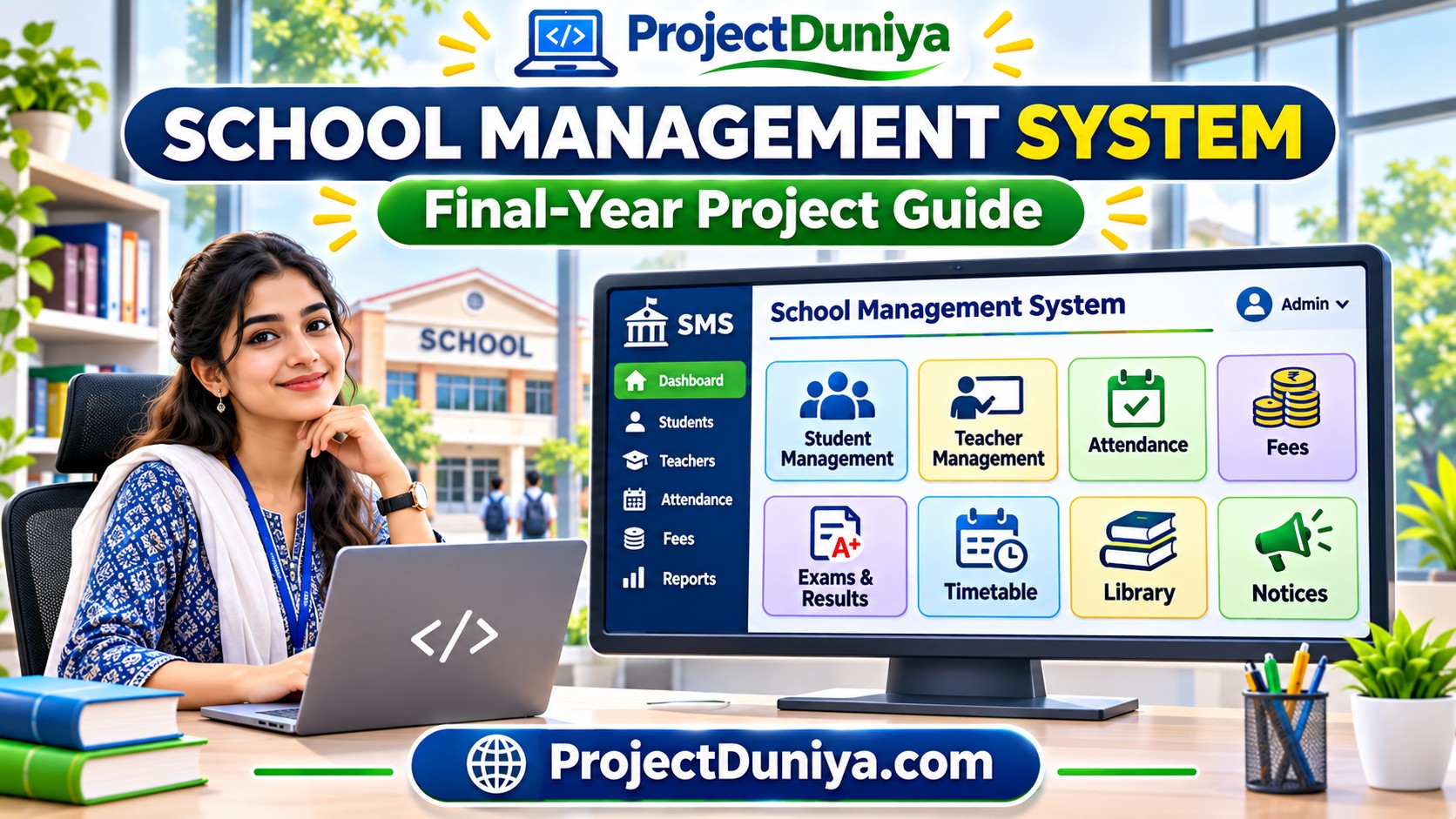
2. Main Modules of a School Management System
A complete School Management System can contain several modules. For a student project, start with the essential modules and add advanced features as your development time allows.
1. Admin Management Module
The administrator manages the overall system and controls access to different sections.
- Add, update, and manage student records.
- Create classes, sections, and subjects.
- Register teachers and other employees.
- Manage user accounts and permissions.
- Publish school announcements.
- View academic and administrative reports.
2. Student Management Module
This module stores student information and maintains academic records.
- Student registration and admission details.
- Student profile and contact information.
- Class and section allocation.
- Parent or guardian information.
- Academic session records.
- Student promotion and transfer records.
3. Teacher Management Module
The teacher module helps schools manage staff information and teaching responsibilities.
- Teacher registration and profile management.
- Subject and class assignments.
- Teacher attendance records.
- Timetable access.
- Marks entry and result management.
- Assignment and homework management.
4. Attendance Management Module
This module allows teachers or authorized staff to record student attendance and generate attendance reports.
- Daily present and absent records.
- Class-wise attendance management.
- Date-wise attendance reports.
- Leave record management.
- Attendance percentage calculation.
- Student attendance history.
5. Fee Management Module
The fee module maintains student fee information and payment records.
- Class-wise fee structure.
- Student fee assignments.
- Payment status and pending dues.
- Payment history.
- Receipt generation.
- Fee collection reports.
6. Examination and Result Module
This module helps teachers and administrators manage examinations and academic performance.
- Create examination schedules.
- Configure subjects and maximum marks.
- Enter student marks.
- Calculate totals and grades using configured rules.
- Generate student report cards.
- Publish examination results.
7. Timetable Management Module
The timetable module organizes classroom schedules and teaching assignments.
- Create class-wise timetables.
- Assign teachers to subjects.
- Allocate classrooms.
- Manage period timings.
- Identify scheduling conflicts.
- Publish updated timetables.
8. Library Management Module
The library module maintains book records and manages borrowing activities.
- Add and update book information.
- Manage book categories.
- Record book issue and return dates.
- Maintain student borrowing history.
- Track overdue books and applicable fines.
9. Notice and Communication Module
This module helps schools share announcements and important information with students, parents, and teachers.
- Publish school notices.
- Share examination announcements.
- Display holiday information.
- Send class-wise announcements.
- Maintain an announcement history.
3. User Roles in the School Management System
A well-designed system should provide different dashboards based on the responsibilities of each user.
| User Role | Main Responsibilities |
|---|---|
| Administrator | Manage users, classes, students, teachers, fees, and reports. |
| Teacher | Record attendance, enter marks, manage assignments, and view timetables. |
| Student | View profile, attendance, timetable, results, and notices. |
| Parent | View child’s attendance, academic results, fee information, and announcements. |
| Librarian | Manage books, issue records, returns, and library information. |
For a smaller academic project, you can begin with three roles: Admin, Teacher, and Student. Add Parent and Librarian dashboards as optional extensions.
4. Recommended Technology Stack
You can develop a School Management System using different programming languages and frameworks. Choose a technology stack based on your existing knowledge and project requirements.
| Technology | Purpose |
|---|---|
| HTML | Structure of web pages. |
| CSS | Website styling and layouts. |
| JavaScript | Frontend interactions and validation. |
| PHP / Python / Node.js | Backend application development. |
| MySQL / PostgreSQL | Database management. |
| Bootstrap / React | Responsive and interactive user interfaces. |
Suggested technology combinations
- Beginner: HTML, CSS, JavaScript, PHP, and MySQL.
- Intermediate: Python, Django, HTML, CSS, and MySQL or PostgreSQL.
- Modern full-stack: React, Node.js, Express.js, and MySQL or MongoDB.
- Java-based: Java, Spring Boot, and MySQL.
For a first academic implementation, PHP with MySQL or Django with PostgreSQL can be practical choices because they support structured database-driven applications.
5. Database Design for a School Management System
The database stores the information used by different modules. Before writing application code, identify the main entities and define how they are connected.
Some important database tables include:
| Table Name | Example Information |
|---|---|
| Users | User ID, username, password hash, role. |
| Students | Student ID, admission number, name, class ID. |
| Parents | Parent ID, contact details, student relationship. |
| Teachers | Teacher ID, name, email, subject assignment. |
| Classes | Class ID, class name, section, academic year. |
| Subjects | Subject ID, subject name, class ID. |
| Attendance | Attendance ID, student ID, date, status. |
| Fees | Fee ID, student ID, amount, due date, status. |
| Examinations | Exam ID, exam name, academic session. |
| Results | Result ID, student ID, subject ID, marks. |
| Books | Book ID, title, author, category. |
| Notices | Notice ID, title, message, publication date. |
Use primary keys and foreign keys to connect related records. For example, an attendance record should refer to a valid student, while a result record should connect a student, subject, and examination.
6. Basic System Workflow
The following example explains how users interact with the application.
- The administrator logs in using authorized credentials.
- The administrator creates academic sessions, classes, and subjects.
- Student and teacher profiles are registered.
- Teachers log in and access their assigned classes.
- Teachers record attendance and enter examination marks.
- The system stores the information in the database.
- Students and parents view permitted academic information.
- The administrator generates attendance, fee, and examination reports.
7. Important Features to Make Your Project Better
Once the main modules are working, you can add additional features to improve the project demonstration.
- Dashboard analytics: Display student totals, attendance summaries, and fee collection information.
- Search and filters: Find students by admission number, name, class, or section.
- Report generation: Export selected records as PDF or spreadsheet files.
- Automated notifications: Send relevant reminders through supported email or messaging services.
- Responsive interface: Make the application usable on mobile phones, tablets, and computers.
- Audit logs: Record important administrative actions for accountability.
- Backup and restore: Provide a documented process for protecting school records.
8. Security Requirements
A school system stores information about children, families, employees, and academic records. Security and privacy should therefore be considered from the beginning of development.
- Use secure password hashing rather than storing plain-text passwords.
- Implement role-based access control.
- Allow users to access only the records required for their roles.
- Validate inputs on both the frontend and backend.
- Use parameterized database queries to reduce SQL injection risks.
- Protect sessions and apply appropriate authentication controls.
- Use HTTPS when deploying the application online.
- Maintain secure backups and avoid exposing private student information.
For a real school deployment, also review applicable data protection requirements and obtain appropriate institutional approval before processing student information.
9. How to Develop the School Management System Step by Step
Follow a structured development process to keep your project manageable.
- Requirement analysis: Identify the school activities your application will manage.
- Module selection: Select the core features and define optional extensions.
- UI design: Create login pages, dashboards, forms, and report layouts.
- Database design: Prepare an ER diagram and define tables and relationships.
- Backend development: Implement authentication, database operations, and business logic.
- Frontend development: Build the interfaces for administrators, teachers, and students.
- Module integration: Connect attendance, fees, examinations, and other modules.
- Testing: Test login permissions, data validation, calculations, and report generation.
- Deployment: Install the application on a suitable server or demonstrate it locally.
- Documentation: Prepare the project report, screenshots, diagrams, and user instructions.
10. Suggested Project Scope for Final-Year Students
A complete school ERP can become a large development project. It is better to select a realistic scope according to your available time and team size.
| Project Level | Recommended Modules |
|---|---|
| Basic | Login, student management, teacher management, and attendance. |
| Intermediate | Basic modules, fees, examinations, results, and timetable. |
| Advanced | Intermediate modules, parent portal, library, analytics, and notifications. |
For most final-year teams, the intermediate version provides a useful balance between functionality and development effort. Add advanced features only after the core workflows are working correctly.
11. Testing and Project Demonstration
Testing is necessary to confirm that each module works correctly and that users cannot access unauthorized information.
Important test cases include:
- Verify that valid and invalid login attempts are handled correctly.
- Check whether each role can access only permitted modules.
- Confirm that attendance records are saved against the correct student and date.
- Verify fee calculations and payment status updates.
- Test examination marks and configured grade calculations.
- Check report generation and exported file contents.
- Test the interface on different screen sizes.
- Confirm that deleted or updated records behave as expected.
During your project demonstration, show a complete workflow rather than only individual screenshots. For example, register a student, assign a class, record attendance, enter marks, and display the resulting student report.
12. Future Enhancements
After completing the main application, you can describe additional features that may be developed in future versions.
- Mobile application for parents and teachers.
- Biometric attendance integration.
- Online fee payment gateway integration.
- School bus route and transport management.
- Online examinations and question banks.
- Advanced academic performance analytics.
- Offline data entry with controlled synchronization.
- Multi-branch school management.
Conclusion
A School Management System is a practical final-year project for BCA, MCA, B.Tech, and CSE students. It combines database management, authentication, role-based access, web development, reporting, and real-world business logic in one application.
Start with essential modules such as student management, teacher management, attendance, fees, and examinations. Design the database carefully, protect student information, and test every major workflow before adding advanced features.
A properly developed system with a working demonstration, clear documentation, and reliable data handling can become a valuable academic project and a useful addition to your development portfolio.
For more final-year project ideas, academic resources, and development guidance, visit ProjectDuniya.